

Structured Article Composer
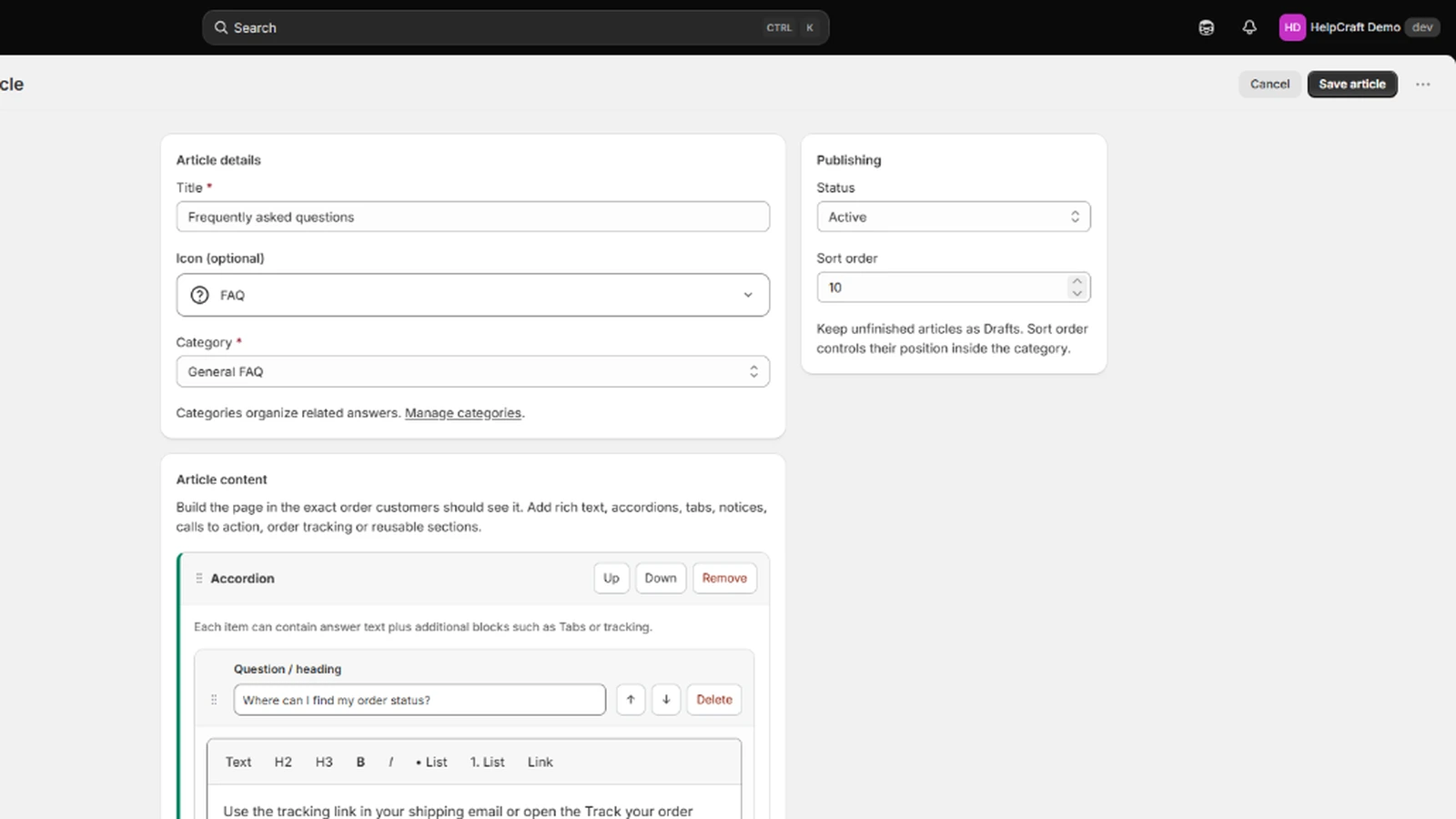
Choose from eight structured section types: Notice, Rich text, Image, Accordion, Tabs, Call to action, Links and Order tracking.
HelpCraft combines structured authoring, reusable content and Shopify-native publishing so merchants can launch quickly and keep help content consistent.
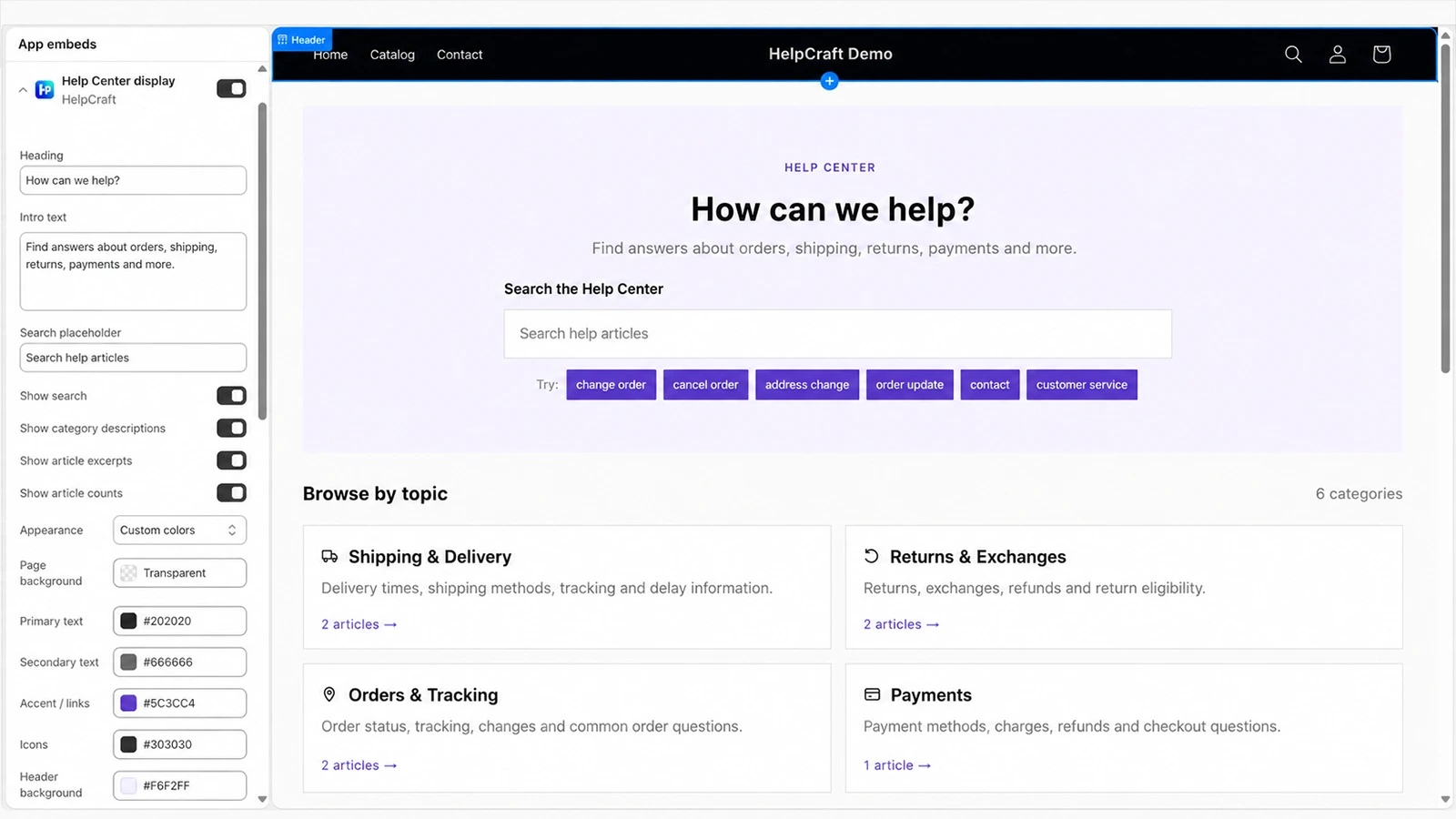
HelpCraft is focused on self-service help content rather than ticketing or live chat.
Choose from eight structured section types: Notice, Rich text, Image, Accordion, Tabs, Call to action, Links and Order tracking.
Build reusable sections from the same structured content types and insert them across related help articles.
Use Shopify-native translations for additional store languages and see when the source content changed.
Publish to a storefront page and, on Pro, to Customer Accounts from the same Active content graph.
HelpCraft gives merchants controlled building blocks instead of a blank editor.
Highlight important delivery, return or policy information in a compact alert-style block.
Add formatted text with headings, paragraphs, lists, emphasis and links.
Group multiple questions and answers into collapsible FAQ-style sections.
Organize longer article sections into compact tabbed content areas.
Mix support content, navigation and actionable utilities inside the same article.
Upload to Shopify Files or choose an existing image, then control alt text, caption, width and fit.
Build a structured group of customer links for guides, contact pages, policies and other useful destinations.
Guide customers toward a next step with a clear label and destination.
Add a focused AfterShip tracking block for common after-purchase questions.
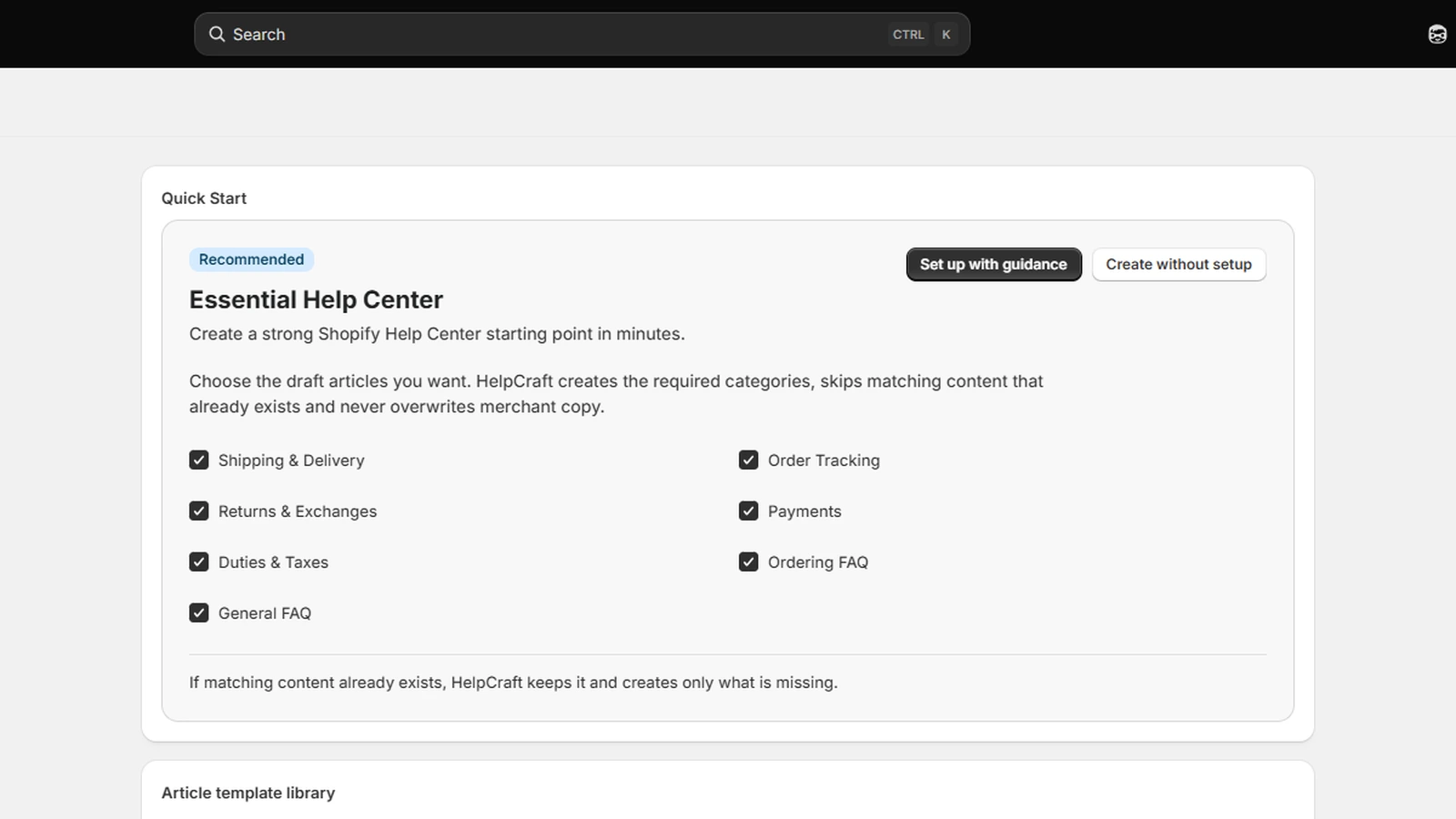
These screenshots cover the main authoring and publishing touchpoints.
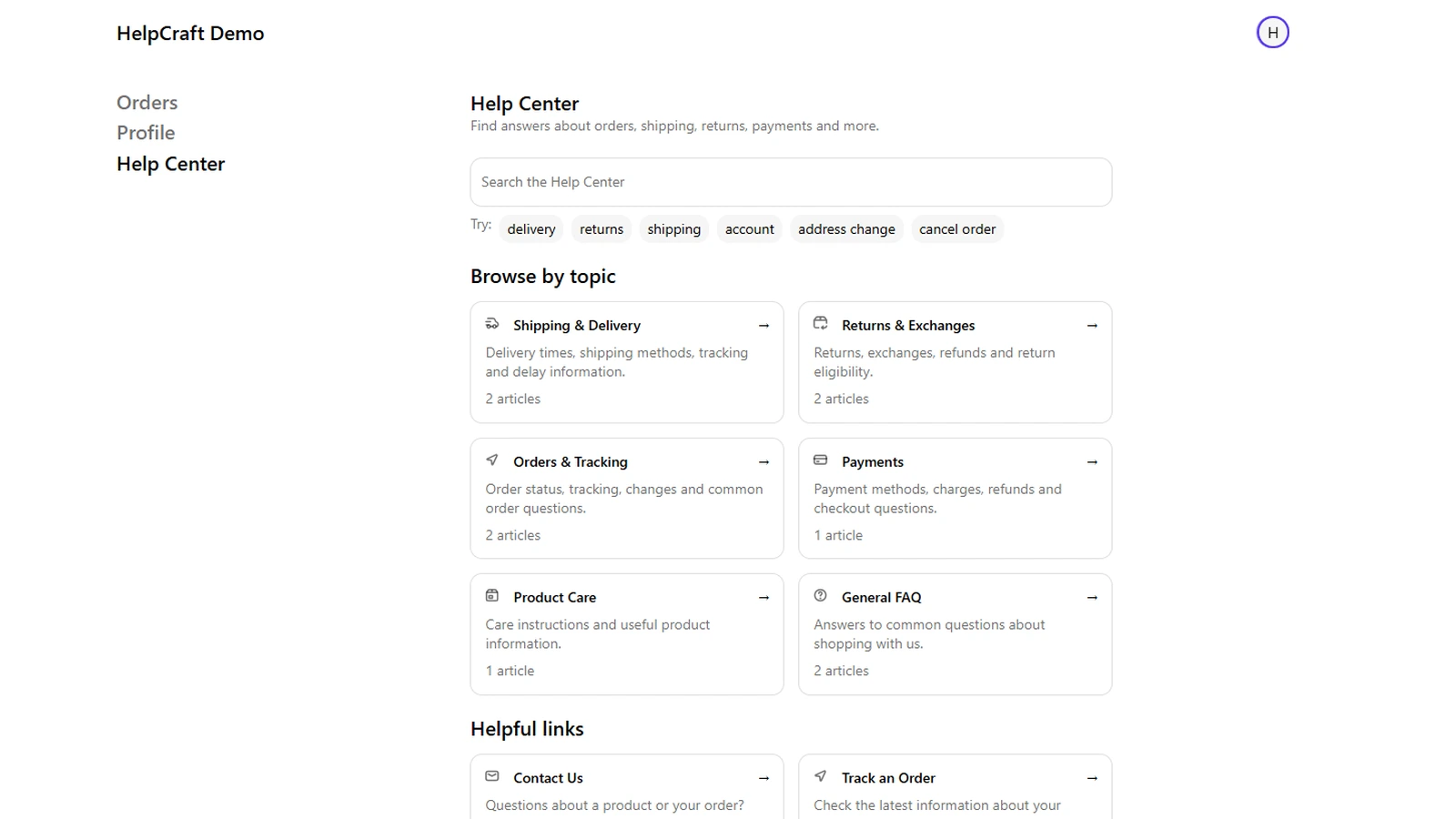
Open the demo store in a new tab and try the published Help Center experience.
helpcraft